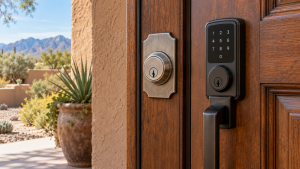
Door access planning starts with how a business actually uses each entrance. A business entrance is more than a door that opens and closes. It may need to admit employees at different hours, keep customers out of staff-only areas, and provide a dependable exit in an emergency. For a small team, door access can still use physical keys. Physical keys can work well for a small, stable team, but growing businesses often ask whether key cards, keypads or biometric readers would make access easier to manage. Door access needs vary by site. There is no universal winner. The best system reflects the building, the number of users, the risk at each entrance and the person who will administer permissions.
Budget Locksmith of New Mexico helps Albuquerque businesses evaluate commercial locksmith needs. Call (505) 509-5770 to discuss doors, existing hardware and access goals. This article is a decision guide, not a substitute for a site survey or building-code review.
Door access starts with a door-by-door map
Before comparing devices, list the entrances that actually need control. The front customer door may have different hours from a stockroom, office or server room. A delivery entrance may need temporary access. An emergency exit must remain usable according to applicable fire and building requirements. Note the door type, frame condition, closer, electric power availability and whether a mechanical lock or existing access system is already installed. A new reader cannot compensate for a door that does not close and latch reliably.
Next, map people to areas. Do all employees need access to the same spaces? Which vendors or cleaners need access only during certain hours? How quickly must access be revoked after an employee leaves? Who will issue credentials and review the list? These questions often reveal the required system more clearly than a product brochure. A small office with one controlled entrance may need a simple solution. A multi-door operation with changing shifts may need centralized administration.
Key cards and fobs: familiar and scalable
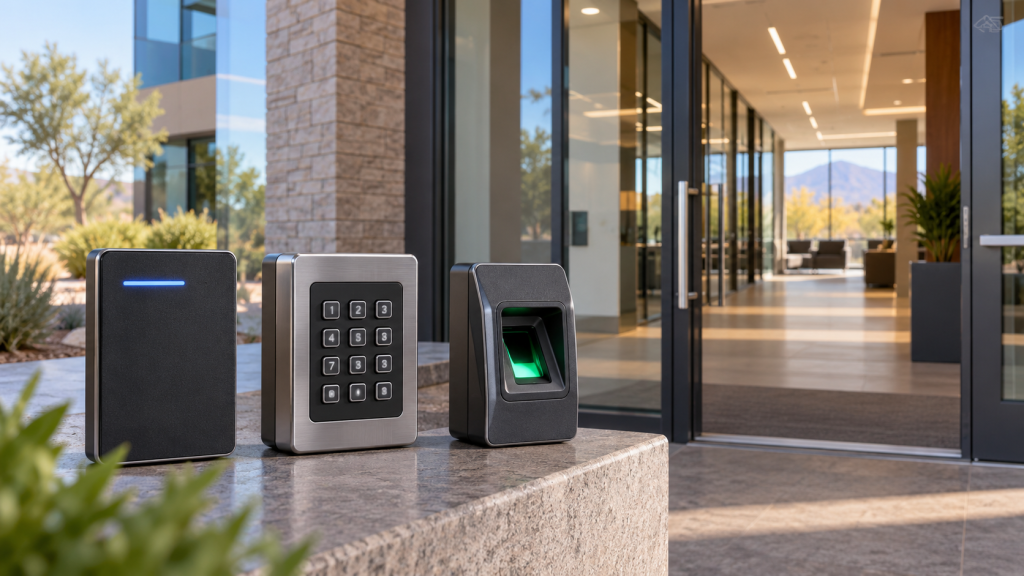
Card and fob systems assign a credential to each user. Depending on the system, an administrator may be able to deactivate a lost credential without changing a physical lock. Access schedules and event logs can help manage multiple doors. Many employees find a tap or presentation at a reader simple to use. The limitations are also practical: cards can be lost, shared, forgotten or damaged, and the business must keep a reliable issuance process.
Different card technologies have different security characteristics. Do not assume that any card with a printed logo or proximity icon offers the same protection. Ask about credential encryption, cloning resistance, replacement availability and integration with current equipment. A system that looks inexpensive upfront may become costly if proprietary credentials are hard to obtain. Also ask how doors behave during a power or network outage and how authorized people enter when a reader fails.
Keypads: no card to carry, but codes need discipline
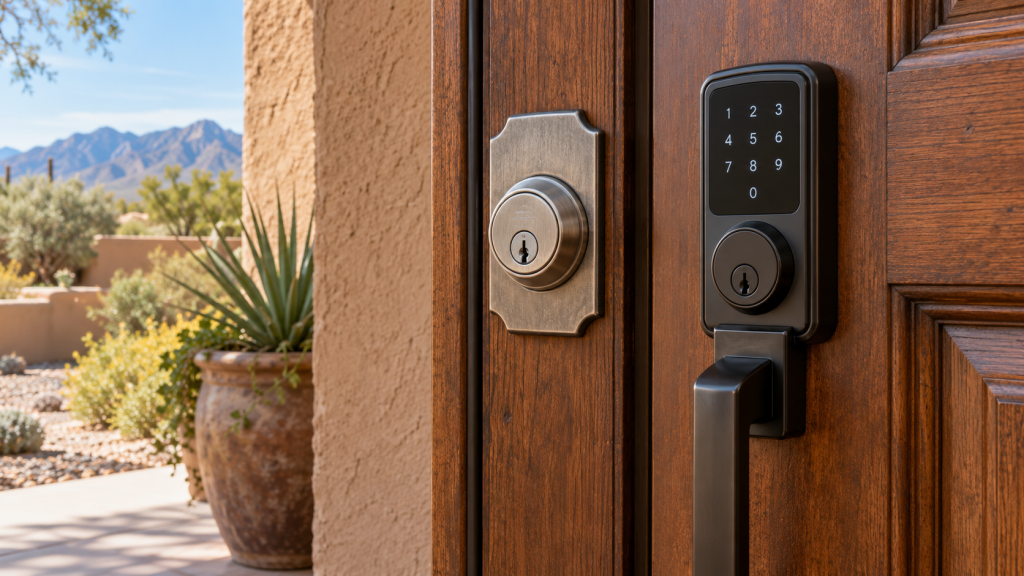
A keypad is useful when people need access without a separate physical credential. A code can be assigned to an employee, contractor or temporary visitor, then changed or removed. For a low-volume door, that may be convenient. But a shared code can spread beyond the intended group and is difficult to revoke for one person. Observers can also learn frequently used codes. Individual codes, periodic review and prompt removal of former users make a keypad much more manageable.
Consider the environment. A keypad exposed to desert sun or monsoon rain must be rated and installed for that location. Users need a clear way to operate it without blocking the entrance. The hardware should provide sensible feedback when a code fails without revealing more information than necessary. If a keypad works with a motorized lock, verify that the door is aligned so the motor is not constantly fighting the latch. A well-planned access policy matters as much as the device itself.
Biometrics: convenient, with additional responsibilities
Biometric systems may use fingerprints, facial recognition or another physical characteristic. They can reduce the problem of lost cards, but they are not automatically the right choice for every workplace. The reader must work reliably for the actual user population and conditions. Dust, gloves, lighting and accessibility needs can affect performance. A backup access process is essential when a reader cannot recognize an authorized person or loses power.
Biometric information is sensitive. Before collecting it, consult appropriate legal and privacy guidance on notice, consent, retention, storage, security and deletion. Ask the vendor whether the system stores raw images or protected templates, where data is kept, who can access it and what happens when a contract ends. Those questions deserve careful review before installation. A business that does not need biometrics should not collect that data merely because a product offers the feature.

Reliability, power and emergency operation
Access control is a system: reader, controller, credential, power supply, lock, door closer and exit hardware must work together. Specify how the door should behave if power is lost. Some openings need to remain locked from outside while allowing safe exit; other use cases may require different behavior. Emergency egress must satisfy applicable requirements, and the installation should not create an obstacle to evacuation. Discuss those conditions with qualified professionals rather than selecting a lock from an online listing in isolation.
Ask who will maintain the system. Batteries, credentials, firmware and backups can all require attention. If a cloud dashboard is involved, understand its subscription cost and availability. Keep a documented process for granting and revoking access. Test the door after installation under normal and outage conditions appropriate to the site. A system is only as dependable as its least-maintained component.
Cost, growth and the right level of control
Compare total ownership cost rather than device price. Include installation, power or cabling, user credentials, software fees, training, maintenance and future expansion. A standalone keypad may be appropriate for one office. A card system may be easier to manage across many doors. Biometrics may be considered for a carefully justified high-control application with proper privacy safeguards. Hybrid systems can combine methods, but complexity should serve a clear business need.
Keep mechanical access in the plan where appropriate. A physical override or supervised emergency procedure may be necessary when electronics fail. If you already have a commercial lock replacement project underway, use that opportunity to assess door condition and future access needs together. Avoid buying equipment that cannot fit the existing door or coordinate with its closer and strike.

When contractors or vendors need temporary entry, treat that as part of door access planning. CISA guidance for small businesses highlights the risk of granting physical access to third parties. Give each person only the access they need, record who approved it, and remove it when the work ends.
Door access decisions by business size
A small office with one controlled entry may need a simple way to give a few employees individual access. A shared PIN is easy to install but difficult to revoke for one person without telling everyone the new code. Individual cards or credentials allow more precise changes, provided someone is responsible for issuing and collecting them. The best door access choice also accounts for the physical door: a reader cannot compensate for a loose strike, a dragging closer or an unreliable latch.
A restaurant, clinic or warehouse may have different groups using different entrances. Map opening hours, staff-only areas, delivery routes and emergency exits before buying equipment. Door access should be granted by role rather than convenience. A delivery driver may need a scheduled entry while employees need regular access and managers need a way to change permissions. Document who can approve a change, how quickly a lost credential is disabled, and what happens when power or network service fails.
For a growing business, ask whether the system can add users, export an access log and support more doors without replacing every component. Review recurring fees, battery or backup power needs, privacy responsibilities and the time staff will spend administering credentials. Door access works best when the operating procedure is simple enough to follow every day. If the team cannot reliably remove departed employees or rotate shared codes, a more expensive system alone will not solve the problem.
Before installation, have a technician inspect the door and frame and explain how the proposed hardware interacts with exits and fire requirements. Test a normal entry, a denied credential, a lost credential and a power interruption. Keep written instructions for the person who manages the system. Door access is a continuing responsibility: schedule periodic checks of hinges, closers, readers and the list of active users.
Compare cards, codes and biometrics in daily use
Cards and fobs are easy to assign to one person and revoke when lost, but they create a physical inventory. Decide who orders replacements, how a lost card is reported and whether a returned card is reused. If a badge is also an employee ID, make sure the person who manages personnel changes can tell the person who manages door access quickly. A system with individual credentials helps only when the user list reflects the current team.
Keypads remove the need to carry a card. That convenience can make them attractive for a small back entrance, but shared codes can spread widely. If the keypad supports individual PINs, use that feature and remove a departing user rather than changing a single shared code every time staffing changes. Consider whether the buttons are exposed to sun, dust or rain and whether staff can use them with gloves. Ask how many failed attempts trigger a lockout and what the fallback procedure is when a code is forgotten.
Biometric readers can reduce credential sharing, yet they require careful consideration of privacy, accessibility and operating conditions. A finger reader may be less convenient where hands are wet, dirty or gloved. A face reader may require appropriate lighting and a way to accommodate workers who cannot use it. Ask the vendor how templates are stored, who can administer the system and how a person opts for an alternative method. Door access should work for authorized people without creating a new operational bottleneck.
Document a realistic failure plan
Before choosing hardware, simulate a power outage and a network interruption. Determine which doors remain secure, which can still be opened from inside, and who has a mechanical or managed backup method. Emergency exits must continue to serve their intended purpose. If an opening is part of a required exit route, coordinate the design with the building owner and qualified professionals. Do not add a lock simply because it fits the frame; verify that the whole opening can be used safely.
Assign one person to maintain the access list and a second person to review it. Keep a record of who requested a credential, who approved it, when it became active and when it should expire. Temporary vendor access should not quietly become permanent. Review permissions after staffing changes, renovations and changes in operating hours. A clear record makes incidents easier to investigate without assuming that an electronic log tells the whole story.
Budget for the full operating life
The initial hardware quote is only one part of the cost. Ask about door preparation, power supply, network connection, user credentials, software subscriptions, backup batteries and ongoing support. A low purchase price can become expensive if every staffing change requires a paid visit. Conversely, a feature-rich system may be unnecessary for one door with a stable team. Compare the total expected cost over several years and identify which expenses are fixed and which grow with more users or entrances.
Request a written description of what the installer will test. The door should latch and close normally before a reader is installed. After installation, test every credential type, rejected access, a lost credential, manual override and the appropriate exit operation. The person who administers the system should practice adding and removing a user before the installer leaves. Keep manufacturer documentation and service contacts where managers can find them during an outage.
Review access after the first month
A new system often reveals procedures that looked simple on paper but do not fit daily work. Ask staff whether they experience delays at shift changes, whether visitors are left waiting and whether a delivery route encourages propped-open doors. Review the active user list against current employees and contractors. Fix the process as well as the hardware: a door held open for convenience defeats the purpose of controlled access. Door access should support normal operations without relying on workarounds.
Check the physical opening too. Closers, hinges and strikes can drift after repeated use, while dust and weather can affect exterior readers. A card that appears unreliable may actually be encountering a door that has not fully latched. Record the symptom, time and entrance before replacing components. Schedule inspections that fit the traffic level of each door. High-use entrances need more attention than a rarely used storage area, but both should be included in the access map.
Finally, treat policy changes as part of maintenance. If a department moves, a contractor finishes work or a manager leaves, review permissions immediately. Decide who can approve a new credential and who audits the list. With those roles clear, door access remains a managed business process rather than a device installed and forgotten.
Before approving a purchase, put the proposed system into a one-page decision record. Name the entrances, users, operating hours, backup method, administrator and expected future changes. Record why cards, keypads or biometrics were selected for each door. This makes it easier to compare quotes on the same basis and to explain the choice when staff or managers change. A practical access plan should remain understandable after the installation team has left.
Frequently Asked Questions
Are key cards more secure than a shared keypad code?
A unique card can be deactivated for one user, while a shared code often must be changed for everyone. Actual security depends on the credential technology, administration and door hardware.
Can employees share one PIN to save time?
That makes it harder to know who has access and to revoke one person’s permission. Individual codes are preferable when the system supports them. Review and remove codes regularly.
Do biometric readers work with gloves or dusty hands?
Performance varies by technology and environment. Test the proposed system under realistic conditions and provide an accessible backup. Do not rely on marketing claims alone.
What happens if power goes out?
It depends on the lock, controller and backup power. Specify the required behavior for each door and confirm safe egress before installation. Test the completed system with the installer.
Should a small business install access control on every door?
Not necessarily. Start with the doors where controlled entry solves a real problem. A well-managed system on a few critical entrances may be more valuable than a complex system that no one maintains.
Plan access around your operation
Choosing between cards, keypads and biometrics begins with people, doors and policies. Budget Locksmith of New Mexico can help review commercial hardware and access needs in Albuquerque. Call (505) 509-5770 to arrange a conversation about your property.