A new front-door lock is a long-term choice, especially when several people use the same entrance. Traditional deadbolts are familiar, comparatively simple, and independent of batteries. For connected devices, the CISA digital-home guide recommends securing Wi-Fi, accounts and updates. Smart locks can add temporary codes, activity information, and remote management, but they also introduce electronics, account security, and maintenance. For an Albuquerque homeowner, the best choice depends less on which product looks modern and more on how the household actually uses the door. This guide compares the trade-offs without assuming that one type is right for every property.
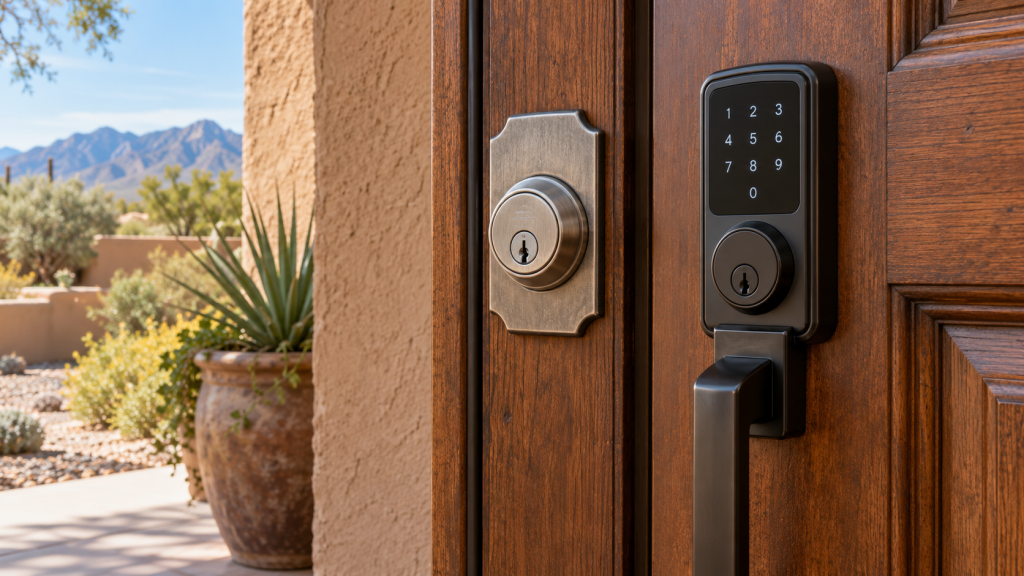
If your existing hardware is loose, misaligned, or difficult to operate, have the door checked before buying a replacement. Budget Locksmith of New Mexico provides residential locksmith services in Albuquerque and Rio Rancho. Call (505) 509-5770 to discuss the entry and the features you need.
What a traditional deadbolt does well
A conventional deadbolt uses a mechanical key on the exterior and often a thumb turn on the interior. It needs no battery, app, network connection or cloud service. When properly selected and installed on a suitable door, it provides straightforward everyday operation. You can hand a key to a family member, keep a spare in a safe place, and understand immediately whether the bolt has extended. The absence of software also means there are fewer settings to configure or accounts to maintain.
That simplicity does not make a deadbolt maintenance-free. Keys can wear or be copied, cylinders can fail, and an incorrectly aligned bolt may not extend fully. If a key is lost or a former occupant still has one, you may need rekeying or replacement. A standard deadbolt also cannot tell you who used a key or when the door opened. For households that rarely share access, this may be entirely acceptable. For short-term guests or changing caregivers, managing physical keys can become inconvenient.
What smart locks add
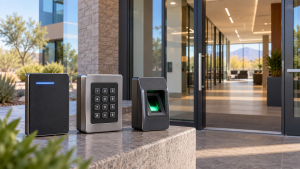
Smart locks vary widely. Some replace the full deadbolt. Others motorize the inside of an existing lock. A keypad model may allow individual PINs; a connected model may support an app, schedules or remote locking. Those features can be useful when a trusted cleaner, dog walker or visiting relative needs access for a limited time. Instead of arranging a physical key exchange, you may create a temporary code and disable it afterward. Some models can report lock activity, but the information they provide and where it is stored differ by manufacturer.
Convenience comes with responsibilities. Batteries need replacement, codes need sensible management, and an app account should use a strong unique password with additional authentication when available. A connected lock may depend on Wi-Fi, a hub, or a vendor service for some features. Local keypad operation may still work during an internet outage, but you must verify that behavior for the exact model. Do not assume every smart lock works the same way in a power failure or when batteries are low.
Start with the door, not the gadget
Before comparing features, inspect the entry. Is the door solid and properly hung? Does the existing deadbolt slide into its strike without pushing or lifting the door? Is there enough clearance for the new exterior and interior hardware? Does a storm door interfere with the lock body? Some smart locks have larger interior housings than a conventional deadbolt. A motorized mechanism may struggle against a misaligned bolt that a person can force with a thumb turn. Correcting that alignment first improves either option.
Door material and exposure also matter. A shaded front entrance may be kinder to an electronic housing than a gate exposed to direct sun and monsoon rain. Check the manufacturer’s stated temperature and weather ratings, especially for the exterior keypad. If a lock will be used on a rental or multifamily property, check any property rules and plan who will manage codes or replacement batteries. These practical details often determine whether a promising product will remain convenient after installation.
Security is more than the lock alone
Neither a smart lock nor a traditional deadbolt can compensate for a weak door frame, damaged strike, loose hinges, or a door that does not close consistently. Evaluate the entire entry. A reputable product installed correctly is generally more useful than a sophisticated product mounted on a door that cannot support it. Follow the hardware maker’s instructions and any applicable building requirements. If you need a professional opinion, ask about the door, strike, cylinder, and user needs together.
A smart lock’s security also includes the digital side. Use unique codes rather than sharing one code with everyone. Remove access when a guest no longer needs it. Keep firmware and app software current according to the maker’s guidance. Avoid posting codes where they can be seen. If you choose a model with a physical key override, protect that key as you would any other house key. A traditional deadbolt’s main access-management challenge is simpler but still important: know who has copies and change the keying when that list is uncertain.
Cost and ownership over time
The purchase price is only one part of the decision. Smart locks may cost more and need batteries, occasional troubleshooting, and perhaps a subscription for optional connected features. A conventional deadbolt may cost less to buy and maintain, but issuing and collecting keys can have its own cost when occupants change. Think about how long you intend to keep the product and what happens if the manufacturer stops supporting its app. A lock that still works mechanically may remain useful, but connected features may not.
For a household with two residents and stable access needs, a quality mechanical deadbolt may be a sensible choice. For a property with frequent authorized visitors, a keypad can reduce key handoffs. A hybrid approach is possible: use an electronic keypad on one primary entry and a conventional deadbolt on another, provided both doors are secure. The goal is a manageable access plan, not the maximum number of features.
Questions to ask before installation
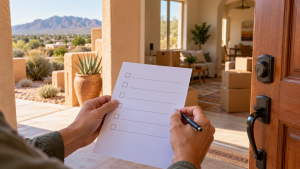
List every person who needs access and whether their access is permanent or temporary. Decide who will administer codes, batteries and app permissions. Ask whether the lock has a physical key backup and how it behaves without internet service. Check whether it fits the door thickness and existing bore holes. Confirm the exterior unit’s weather suitability for the specific entrance. Finally, make sure someone tests the lock with the door open and closed after installation. A successful setup screen does not prove the bolt enters the strike cleanly.
If you already have hardware that you like, ask whether the cylinder can be rekeyed or whether an electronic retrofit is compatible. If the door is damaged or the lock has failed, a lock repair and adjustment assessment may be useful before purchasing anything new. Avoid treating every access problem as a reason to replace all of the hardware.
A household test before committing
Write down who needs access during an ordinary week: residents, a caregiver, a cleaner, a contractor and any short-term guest. A smart lock makes sense when temporary access solves a real problem and someone will manage codes promptly. If everyone already carries a key and rarely changes access, the extra electronics may provide little benefit. Ask each person how they will enter if a phone is lost, a battery is depleted or the network is unavailable. A backup method should be practical for the people who depend on the door, not just technically available in the product manual.
Test the door itself at several times of day. With the door open, operate the deadbolt; then close the door and try again without pushing or lifting it. A motorized smart lock may struggle against a bolt that already binds in the strike plate. Fixing alignment first protects the new device and improves day-to-day operation regardless of which lock you choose. Review whether the entrance is exposed to direct sun or rain, because an indoor keypad and a weather-rated exterior device are not interchangeable.
Finally, decide who owns the account. Record the recovery method, keep software updated, use a unique password and remove temporary users when their access ends. The same household should also know where spare keys are kept and who can authorize a service visit. A smart lock is a useful tool when these routines are manageable; a conventional deadbolt remains a sensible choice when simplicity is the priority.
Frequently Asked Questions
Does a smart lock stop working when the internet goes down?
It depends on the model. Many keypad locks can still operate locally, while remote features may become unavailable. Verify the exact behavior before buying, including what happens when batteries are low or depleted.
Is a traditional deadbolt less secure than a smart lock?
Security depends on hardware quality, installation, door condition and access management. A well-installed mechanical deadbolt can be a strong choice. A smart lock adds convenience but also needs good code and account practices.
Can I keep a physical key with a smart lock?
Some smart locks include a keyed cylinder or support an existing deadbolt. Others do not. Choose a model whose backup method fits your household, and store any backup key securely.
Should I replace my door before installing a new lock?
Not necessarily. But a sagging, damaged or poorly aligned door should be addressed. A new lock cannot work reliably if its bolt does not meet the strike opening correctly.
Who should manage guest codes?
Choose one or two trusted adults to create, review and remove codes. Give each guest a separate code when possible, set an expiration if available, and remove access promptly when it is no longer needed.
Choose a lock that fits your household
A traditional deadbolt offers simplicity and independence from electronics. A smart lock offers flexible access management when its extra maintenance is worthwhile. Budget Locksmith of New Mexico can help assess your existing door and discuss installation options in Albuquerque. Call (505) 509-5770 to talk through the decision.